

- Written by: Author
- March 12, 2026
- Comments: (0)
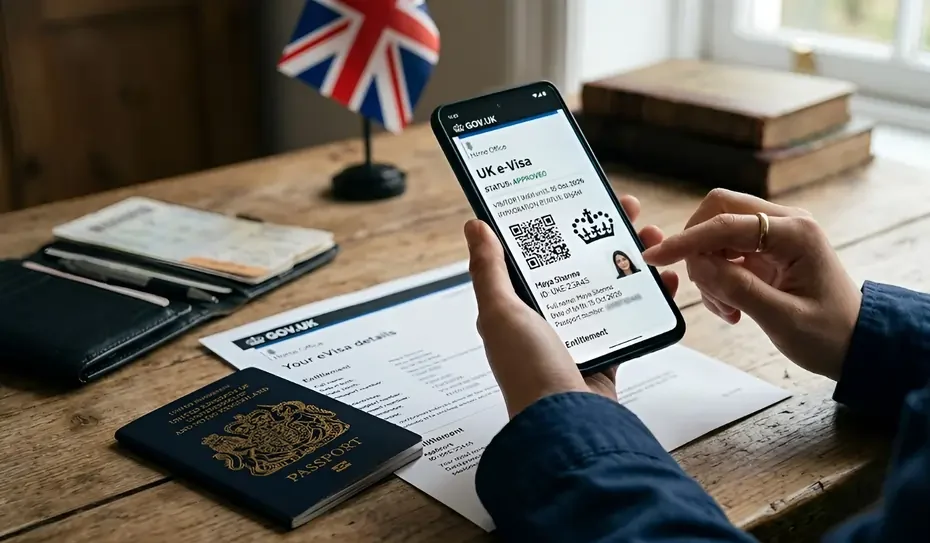
The UK immigration system is fast shifting to the digital status of immigration and e-Visa is becoming a very significant constituent of the change. Rather than carrying hard copies such as BRP cards or visa stickers, a sizeable number of applicants will now keep track of their immigration status online using a UK Visas and Immigration (UKVI) account.
Creating a UKVI account and obtaining an e-Visa is highly significant to you, in case you are planning to study, work, or live in the UK. It may be confusing to first time applicants, however, with proper direction it can become a lot easier.
In case you require a professional assistance in your UK visa application, Studylead Consultants are probably able to provide you with the assistance step by step, starting with the preparation of the application and finishing with visa processing so that all is done right and in due time.
The following is a guide in easy steps to assist you to create your UKVI account and apply to get an e-Visa.
Table of Contents
ToggleWhat Is a UKVI Account?
The UKVI account is an online account that is utilized to check and manage your digital immigration status in the United Kingdom. Through this account, you can:
- Check online status of your immigration.
- Obtain visa and extensions.
- You need to update your personal information.
- Provide evidence of immigration to employers or universities.
- Access your e-Visa
Your e- Visa is the online list of your immigration authorization in the UK, which substitutes numerous physical visa records.
Step 1: Visit the Official UKVI Website
The initial one is to visit the official UK government visa portal. On this site, the applicants are given the opportunity to open their UKVI account and start a visa application process.
It is always important to use the official government site to avoid the scam or wrong application.
After getting into the site, choose the option of creating a UKVI account.
Step 2: Register Your Email Address
A verification code will be sent to your mail inbox. Type the following code in the site in order to verify your email address.
Ensure that you use an email that you visit frequently since all the updates on your visa application would be sent to you via email.
Step 3: Create a Secure Password
Your password should:
- Be strong and secure
- Use a mixture of symbols, numbers and letters.
- Be something you can have in mind.
Your immigration history will be stored in this account, and therefore, you should not forget about your login information.
Step 4: Provide Personal Information
Then you will be required to fill in your personal information and this includes:
- Real name (as your passport indicates it)
- Date of birth
- Nationality
- Passport number
- Contact information
Ensure that you carry all the details to the letter as this may result in delays on your part.
Step 5: Verify Your Identity
Identity verification is one of the most vital procedures of the process.
One of the ways through which applicants are typically checked is by identifying themselves in the following ways:
- The Immigration ID Check mobile application in the UK.
- The visit to an application centre of the visa.
- Uploading documents online
The mobile application will enable you to scan your passport and record a photo of yourself to identify yourself.
This is to make sure that your e-Visa is safely transmitted with your passport.
Step 6: Start Your Visa Application
After you have already made your UKVI account and verified your identity, you are able to proceed with your visa application.
You can apply to:
- Student visa
- Work visa
- Skilled worker visa
- Visitor visa
- Graduate visa
You will have to fill in an online form and submit such information as:
- Education history
- Employment history
- Travel history
- Purpose of visit
Be sure to provide responses to every question in the correct manner.

Step 7: Upload Supporting Documents
- Passport copy
- CAS letter (for students)
- Bank statements
- Academic certificates
- Results of English language tests.
The documents are normally uploaded in your UKVI account.
Ensure that the documents are legible, full, and well scanned.
Step 8: Pay the Visa Fee
Once the application is done and documents uploaded, you will be required to pay visa application fee. The fee will depend on the visa that you are applying. There are also applicants that might have to pay the Immigration Health Surcharge (IHS) that gives access to the National Health Service (NHS) of the UK. The payment is usually done online through debit or credit card.
Step 9: Book a Biometric Appointment (If Required)
There are applicants who might be required to visit a visa application centre in order to submit:
- Fingerprints
- Photograph
- Further identity checking.
Nevertheless, in most instances, ID Check app applicants will not necessarily have to use biometric appointment.
Step 10: Receive Your e-Visa
Upon succeeding in your application, your e-Visa will be associated with your UKVI account.
You will not have to be given a physical copy of a visa document but you can log into your UKVI account and see a digital version of your immigration status.
Development of a share code is also possible to demonstrate to employers, landlords, or universities that you are an immigrant.
Benefits of the e-Visa System
The e-Visa system of the UK has a number of benefits to the applicant:
Secure and Digital
Your immigration status is saved online and so, you are not likely to lose valuable document.
Easy Access
Your UKVI account shows your visa status any time.
Faster Verification
A share code can be used to verify the immigration status of the employer or institutions.
Reduced Paperwork
The online system makes the process of issuing visas easy since a lot of physical paperwork is done away with.
Final Thoughts
Another significant step to do before visiting the UK with the aim of studying, working, or living is to create a UKVI account and obtain an e-Visa. Even though it is largely a digital and convenient process, it still must be paid close attention to details, have proper documentation, and correct information.
To make your UK visa application a smooth and successful one, Studylead Consultants may assist you in every part of the process, including, but not limited to, the creation of your own UKVI account, the visa application itself, as well as the necessary paperwork. Using the help of experts, you will find it a lot easier and stress-free to study or work in the UK.